Chapter 7
Movement templates
Input templates so you never retype the same details.
2 min read, 5 sections
On this page
A movement template is an entry template. It remembers everything that does not change from one deposit to the next (the envelope, the fund, the fees) so that only the date and the amount are left to fill in.
7.1When to create one
As soon as the same investment comes back. If you invest every month in the same ETF, with the same brokerage fees and the same breakdown, you may as well record this repetitive information once.
7.2Opening the panel
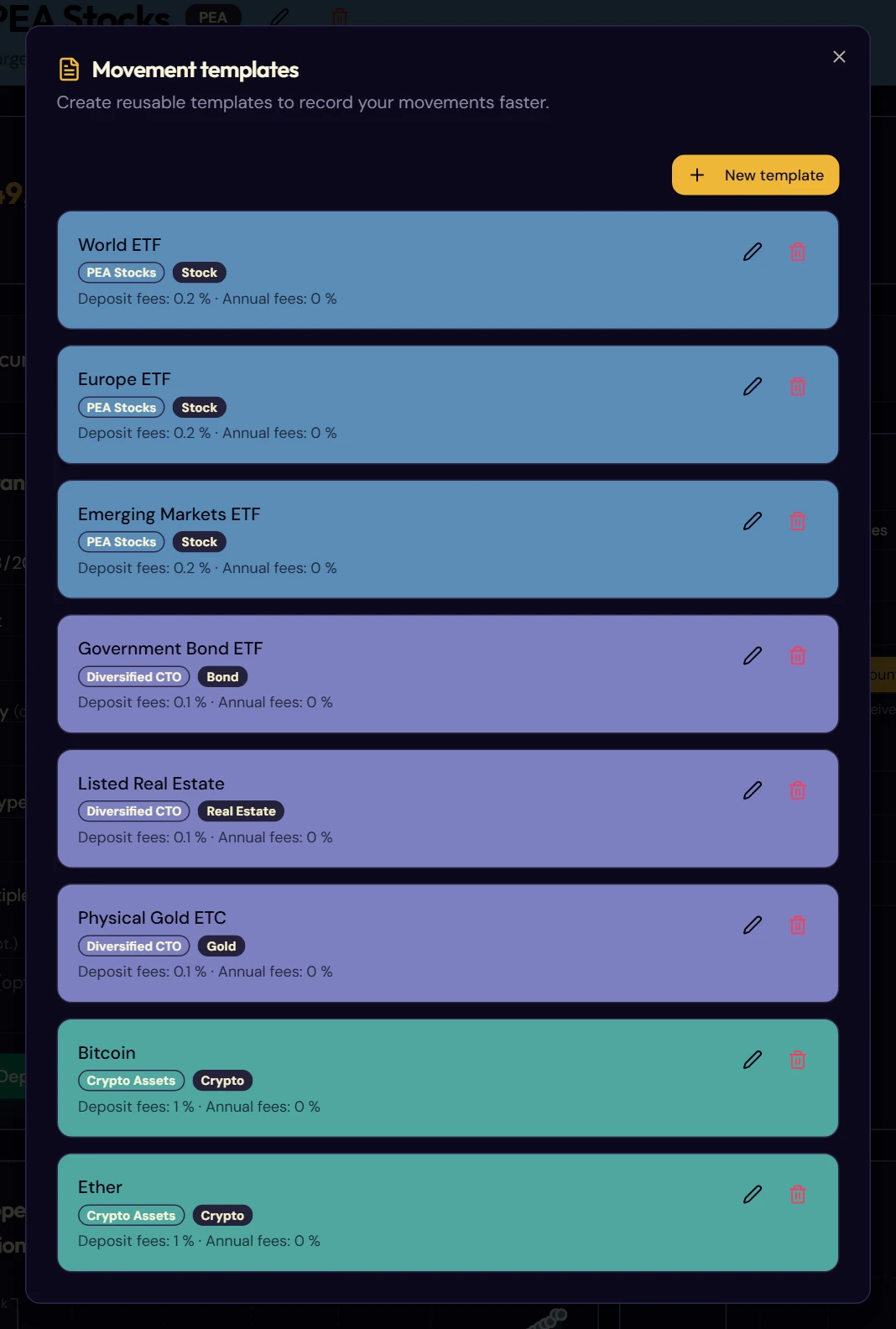
From an envelope page, click Movement templates, at the top of the entry card. The panel opens.
7.3The list
Each template takes up a block, in the color of the envelope it is attached to. It shows its name, its envelope, its asset type and a reminder of its deposit fees and annual fees.
Two icons on the right: the pencil to edit, the bin to delete.
7.4Creating a template
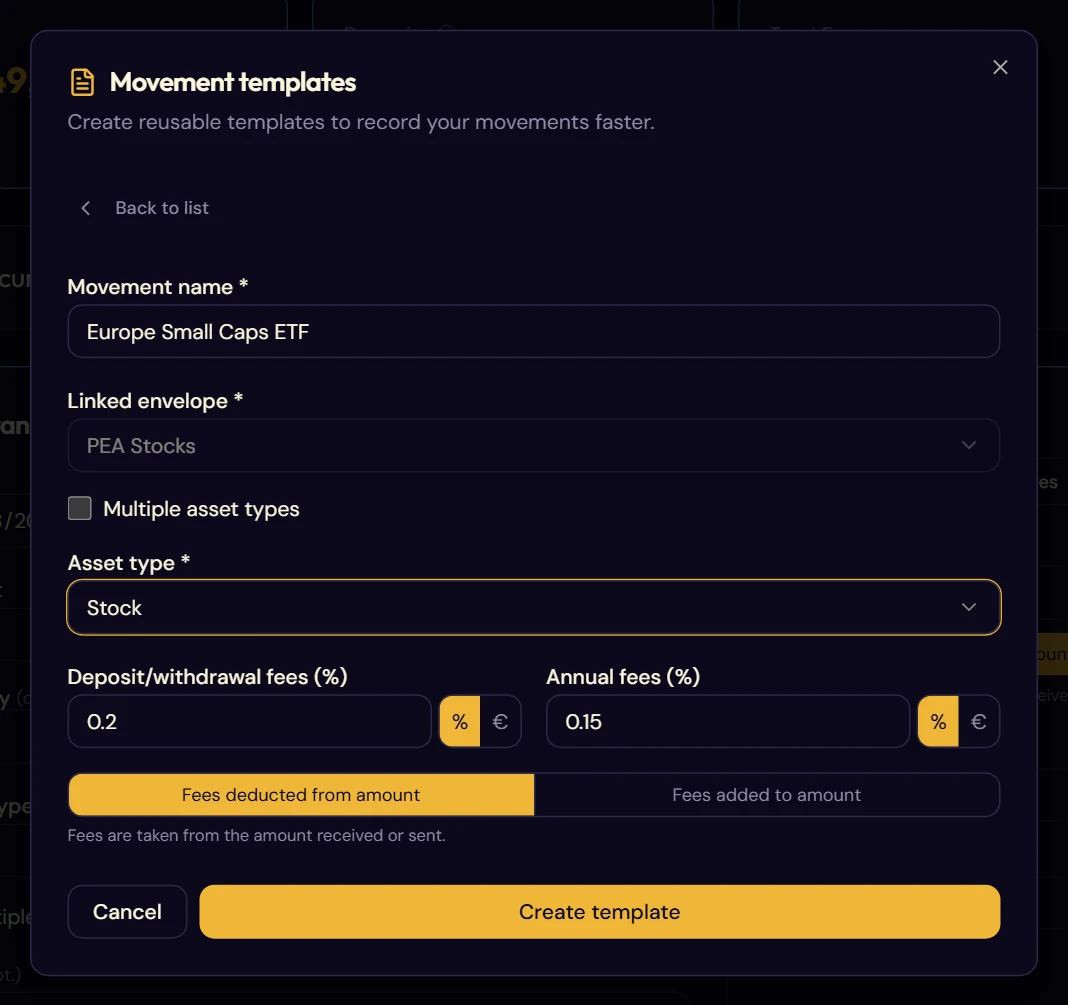
- Click New template.
- Give it a meaningful name: it is the one you will pick in the drop-down menus. The name of the fund works well: “ETF World”, “Euro fund”, “SCPI European Offices”.
- Choose the linked envelope.
- Select the asset type, or tick Multiple asset types for a breakdown in percentages.
- Fill in the deposit/withdrawal fees and the annual fees, as percentages or in euros.
- Confirm with Create template.
7.5Using a template
Your templates are used in three places.
When entering data by hand
In the add-movement form (§ 5.4), the Movement Template menu pre-fills the asset type and the fees. All that is left is to enter the date and the amount.
To create a recurring series
In the recurring movement creation tab, the Import a template button takes over the same settings (§ 8.2).
As a calibration position
It is the least obvious use and the most useful. When an envelope has templates, the Detail by position option of the calibration window (§ 6.3) offers one field per template rather than one field per asset class. You then value each holding of your contract as it appears on your statement, with a reminder of the number of units held.